
You can purchase sermons à la carte with a SermonSearch GUEST account. As a GUEST user, you can choose and purchase individual sermons without signing up for a recurring subscription.
To purchase sermons à la carte as a GUEST user, please follow the steps below:
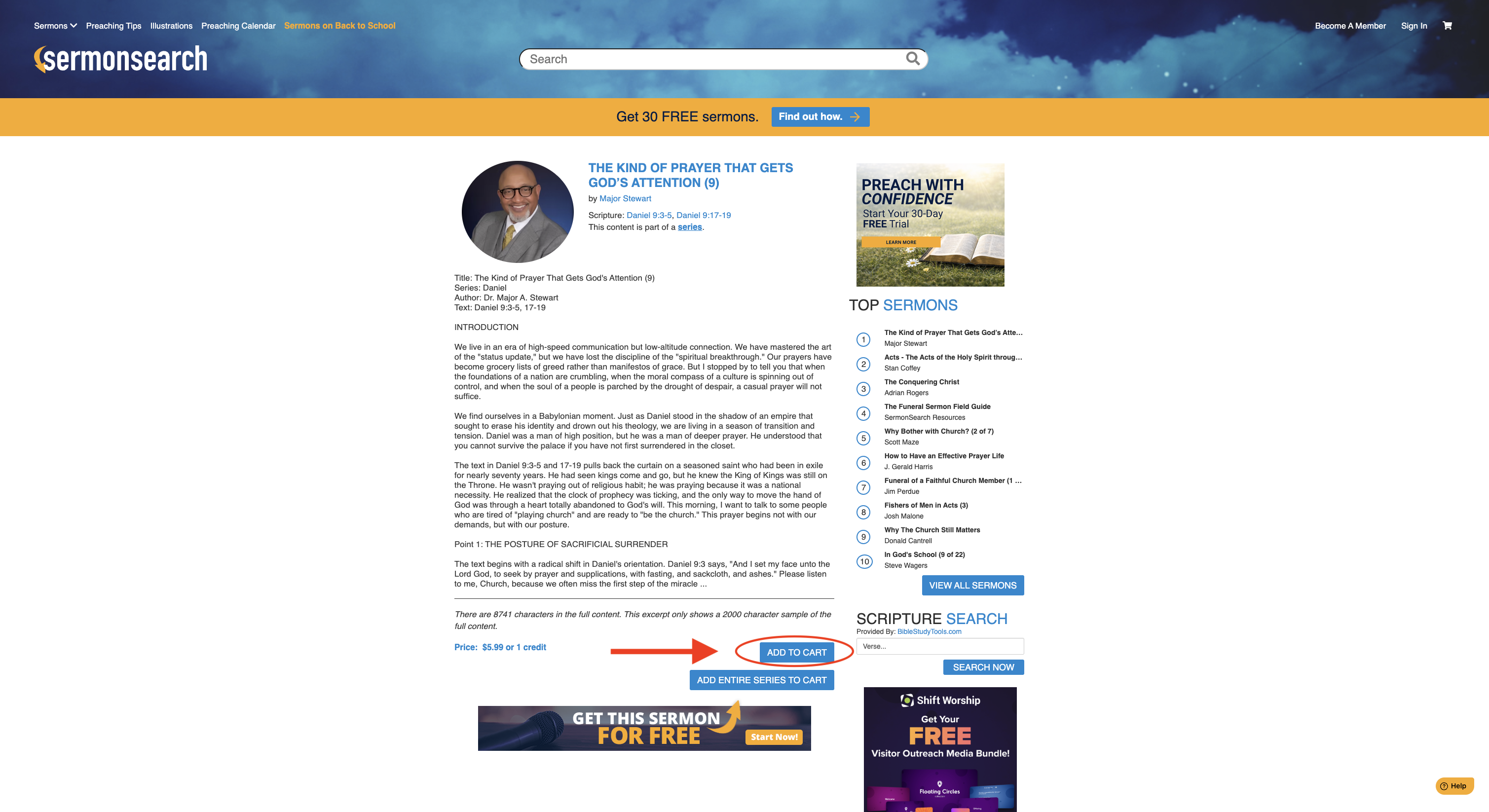
Please Note: You must be signed in to a SermonSearch account to complete your purchase. If you already have a Guest account or a SermonSearch Monthly or Annual subscription, simply log in to continue.
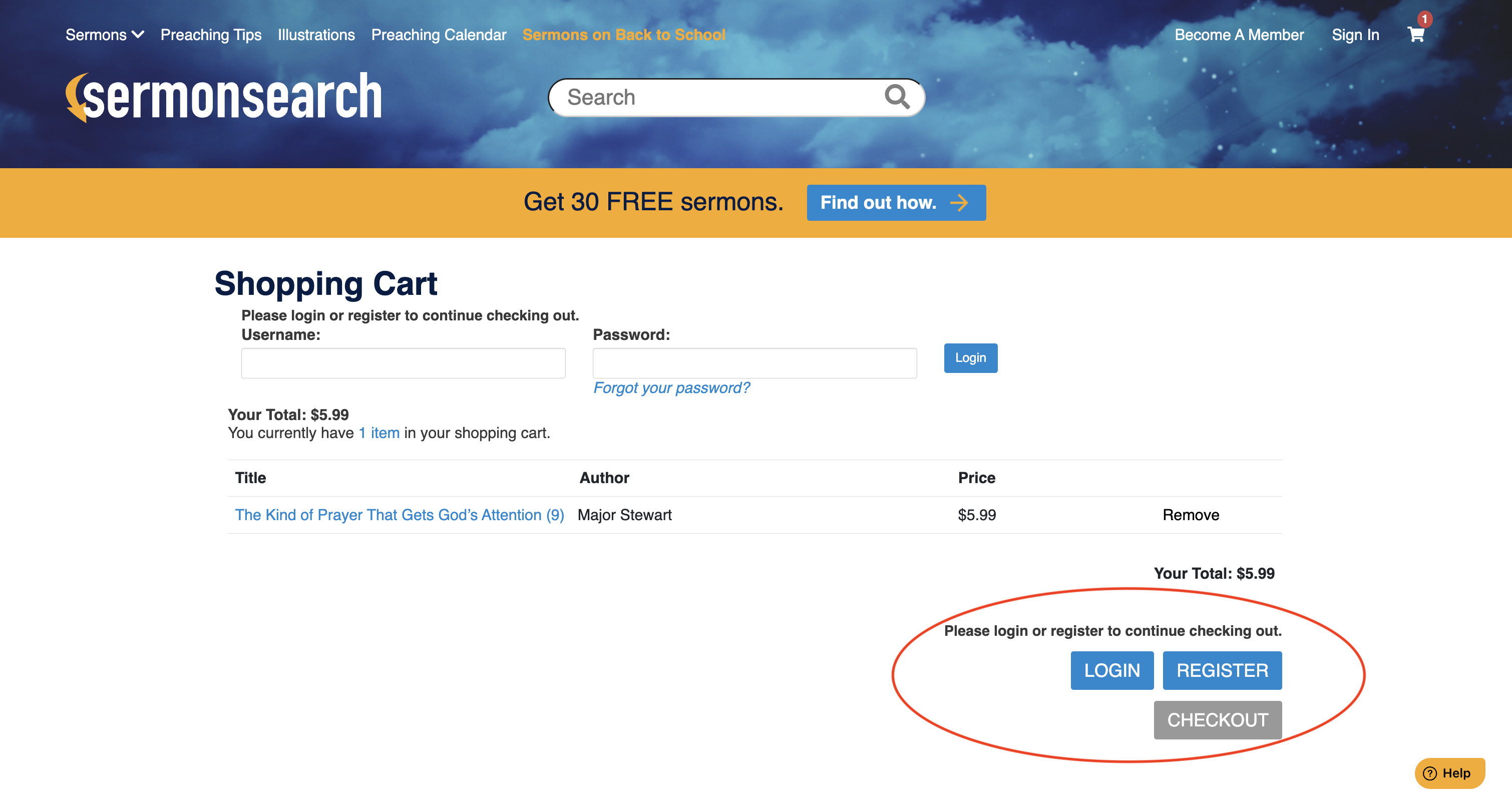
If you don't have an account, you'll be prompted to create a Guest account before completing your purchase. Creating a Guest account does not enroll you in a recurring subscription. As a Guest user, you will only be charged for the individual sermons you choose to purchase.
Please refer to the screenshots below to see what the signup process will look like when creating a Guest account to purchase sermons à la carte.
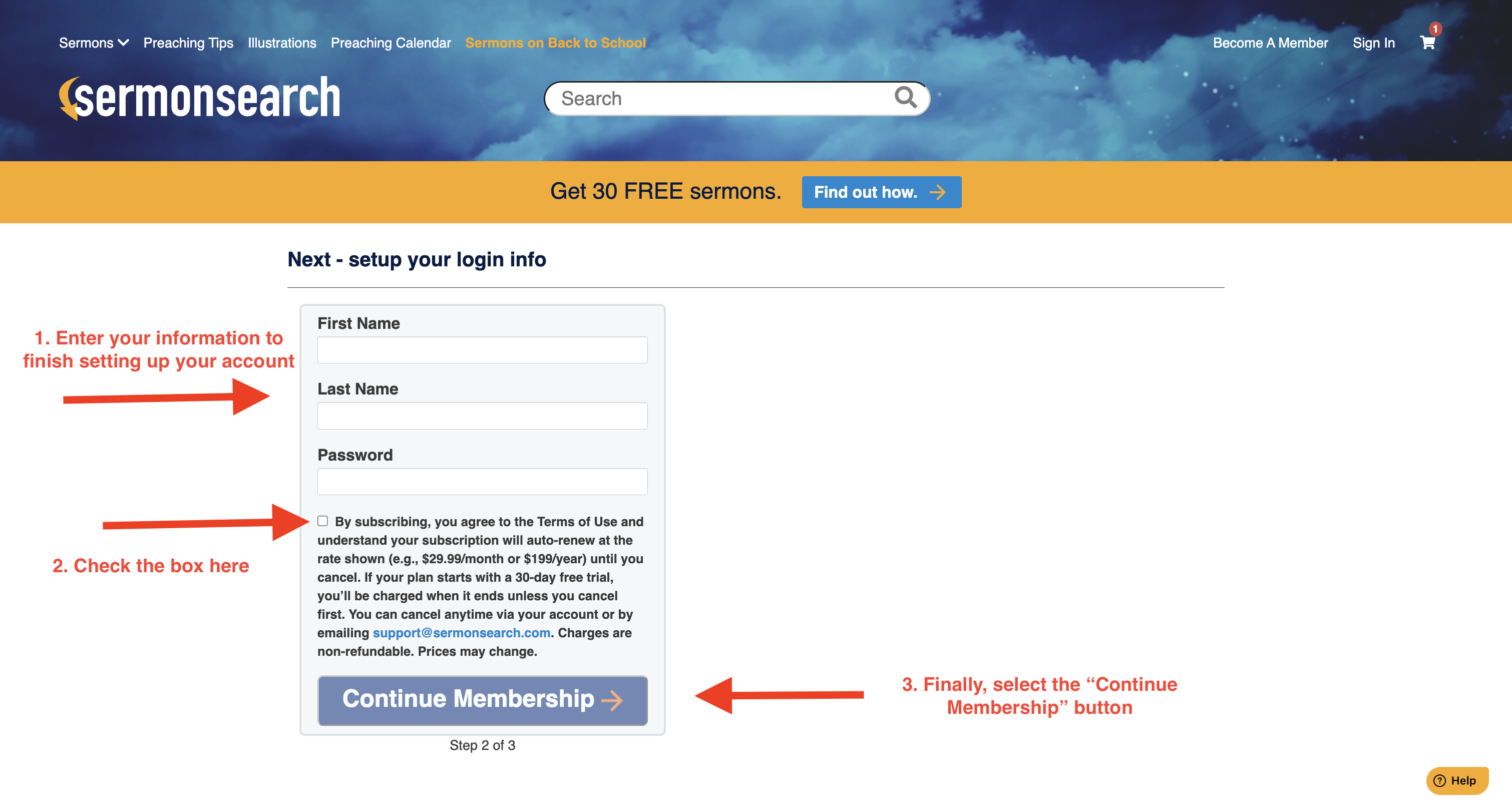
Important: Please fill out all required information on the checkout screen, including your first name, last name, email address, and phone number. You will not be able to proceed with checkout until all required information has been entered.