
Starting a 30-Day Free Trial with SermonSearch is a great way to explore our sermon library and discover helpful resources for your sermon preparation. When you sign up, 30 credits will automatically be added to your SermonSearch account—1 credit equals 1 sermon. You can use those credits to download up to 30 sermons of your choosing to read, study, and reference as you prepare your messages.
Signing up for your 30-Day Free Trial is quick and easy. Just follow the steps below to get started!
STEP 1
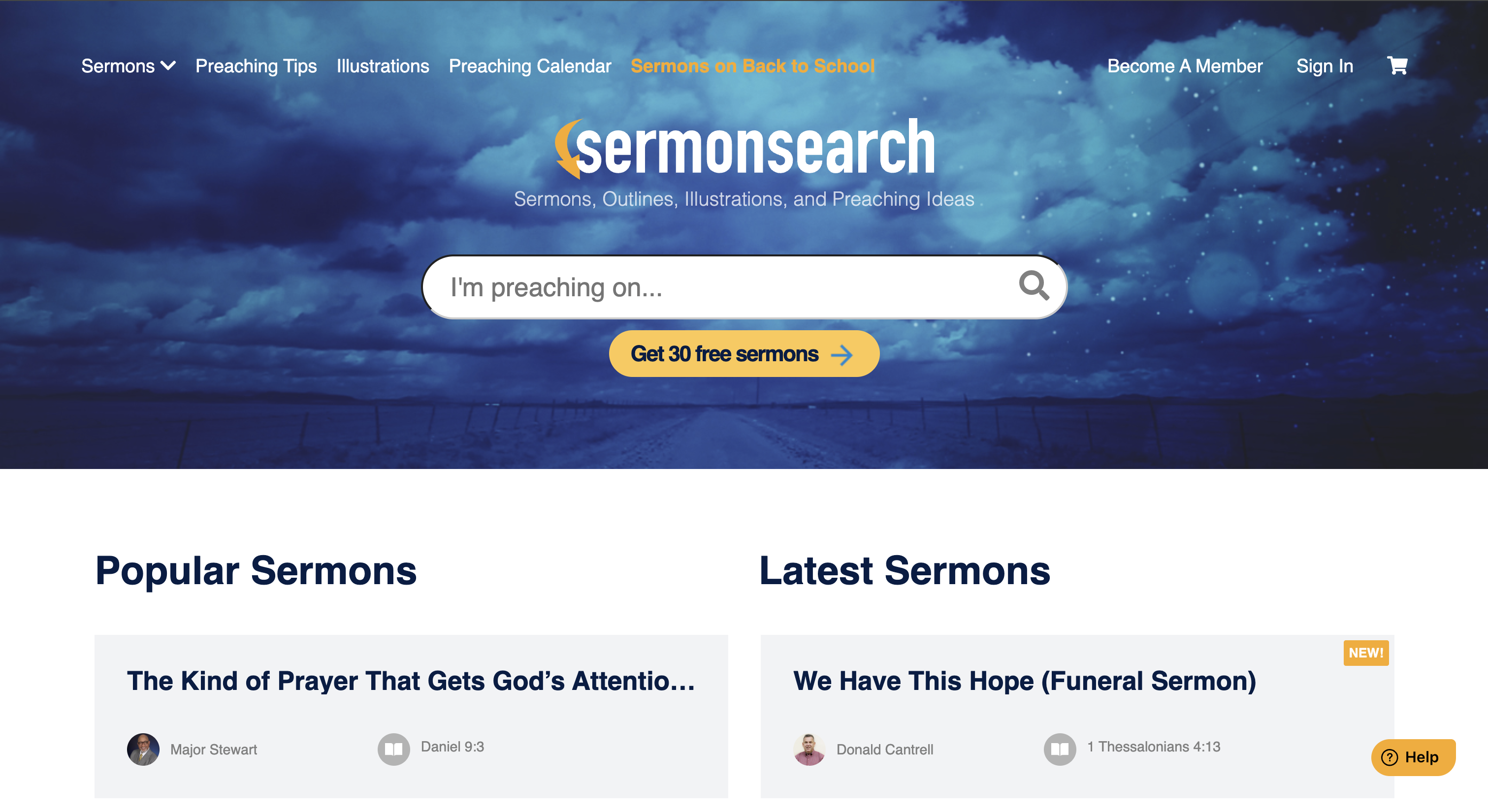
Click the GET 30 FREE SERMONS button located just below the search bar.
STEP 2
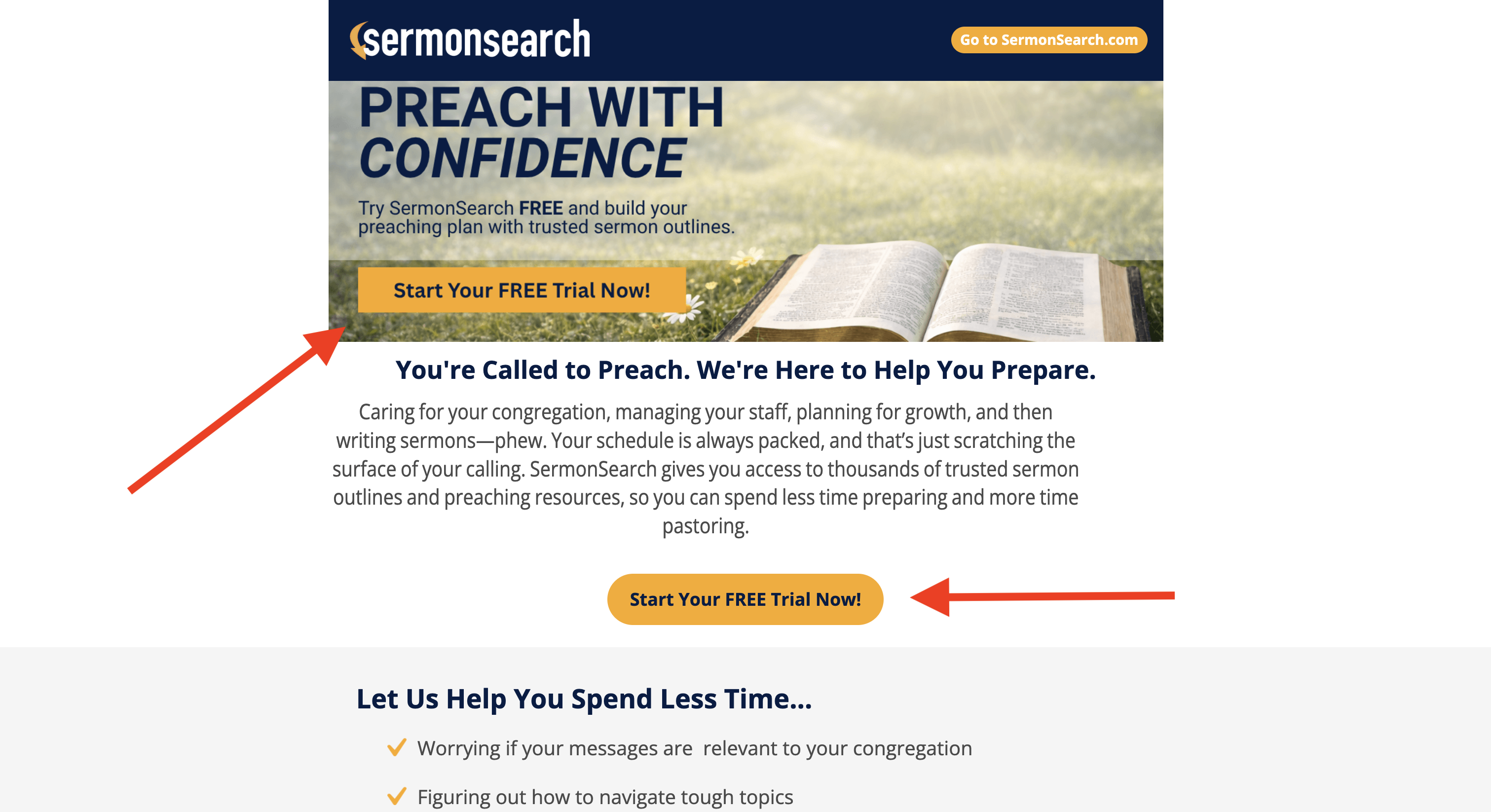
Select any of the “Start Your Free Trial” buttons on this page.
STEP 3
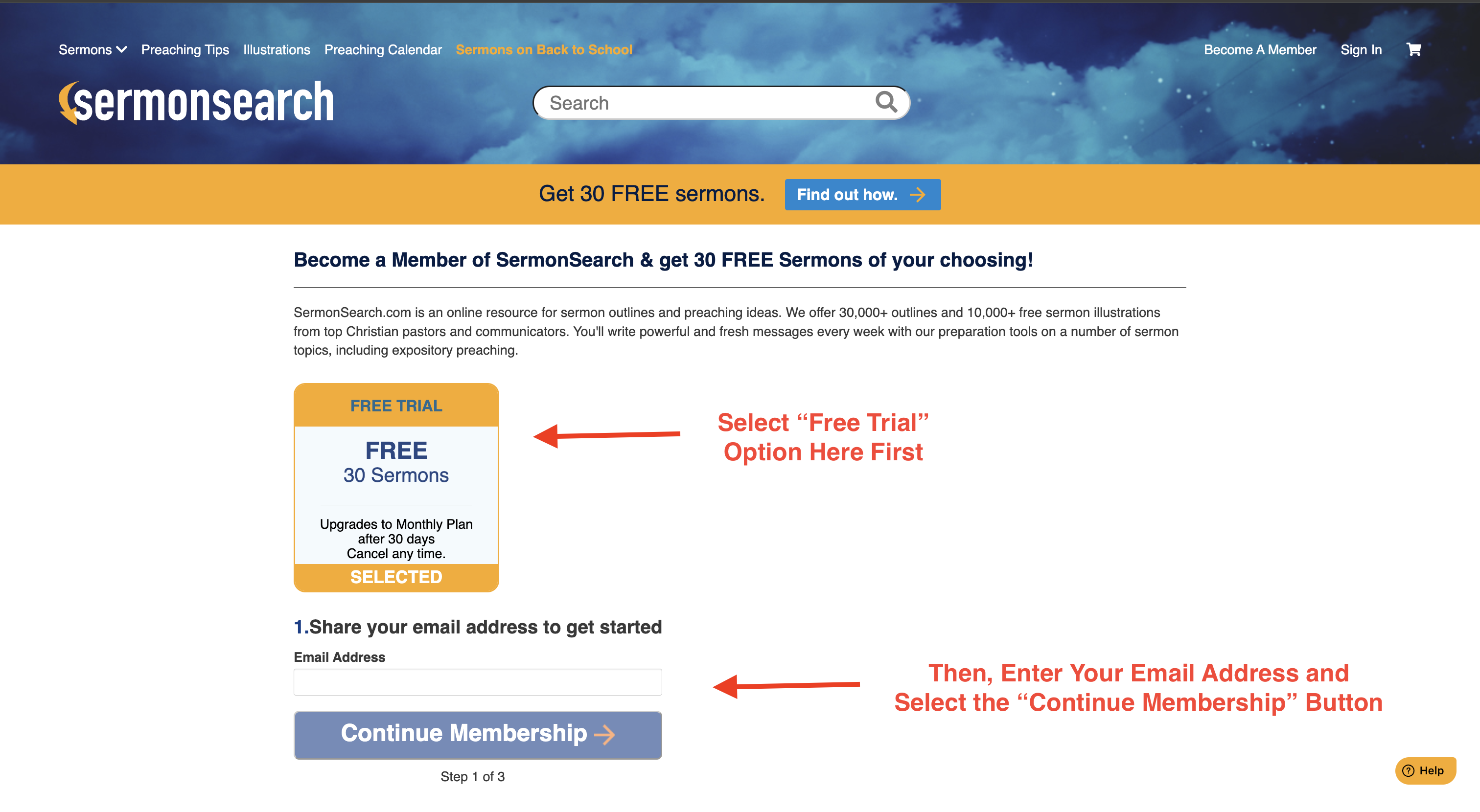
Select the "Free Trial" option, enter your email address, and finally select the “Continue Membership” button.
STEP 4
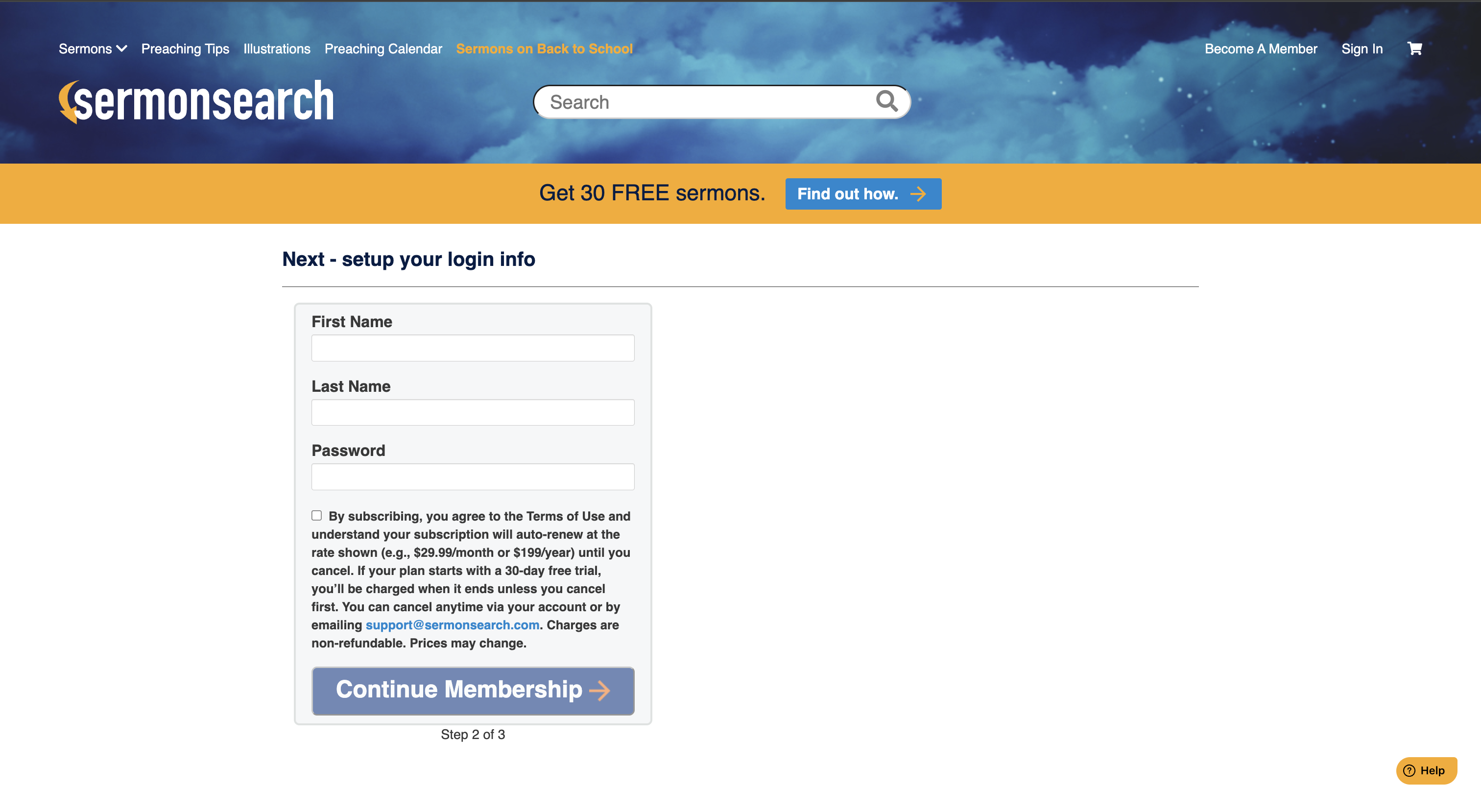
Fill out all the information and continue to the final step!
STEP 5
Enter your payment information to complete your Free Trial signup! Once you’ve completed this final step, 30 credits will automatically be added to your SermonSearch account. You can use your 30 credits to download up to 30 sermons of your choosing—1 credit equals 1 sermon.
Important: Be sure to use all of your credits before your 30-Day Free Trial ends. Unused credits do not carry over and will expire at the end of the trial period.
At the end of your Free Trial, your account will automatically transition to a Monthly subscription unless you cancel before the trial ends.